Wheel Cycles: CSP → Assignment → Covered Calls
Follow each put-to-call run with Active, Paused, and Closed tabs, timeline cards, metrics, ticker search, and PNG download.
What Wheel Cycles is for
Wheel Cycles groups related cash-secured puts, assignments, and covered calls into one run per symbol (and portfolio). Instead of reading a flat trade log, you see each wheel from start to finish — premium collected, basis, total return, and what's still open.
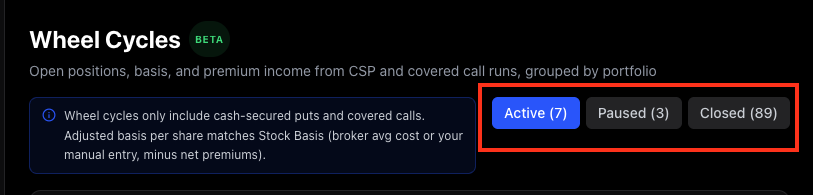
Open it from the sidebar at Wheel Cycles. The feature is marked Beta while we keep refining grouping edge cases.
Active, Paused, and Closed
Use the tabs at the top of the section:
- Active — runs with an open CSP or CC, or shares waiting for a first covered call.
- Paused — runs with no open leg for 50+ days (idle but not finished).
- Closed — finished wheel runs (shares called away, sold, or the cycle otherwise completed).
Counts on each tab update as your book changes. Parallel wheels on the same ticker (for example two lots) show as separate runs when the tracker can tell them apart.
Timeline cards and metrics
Each cycle card shows a timeline from CSP through assignment and covered calls (including rolls), plus headline metrics above the timeline:
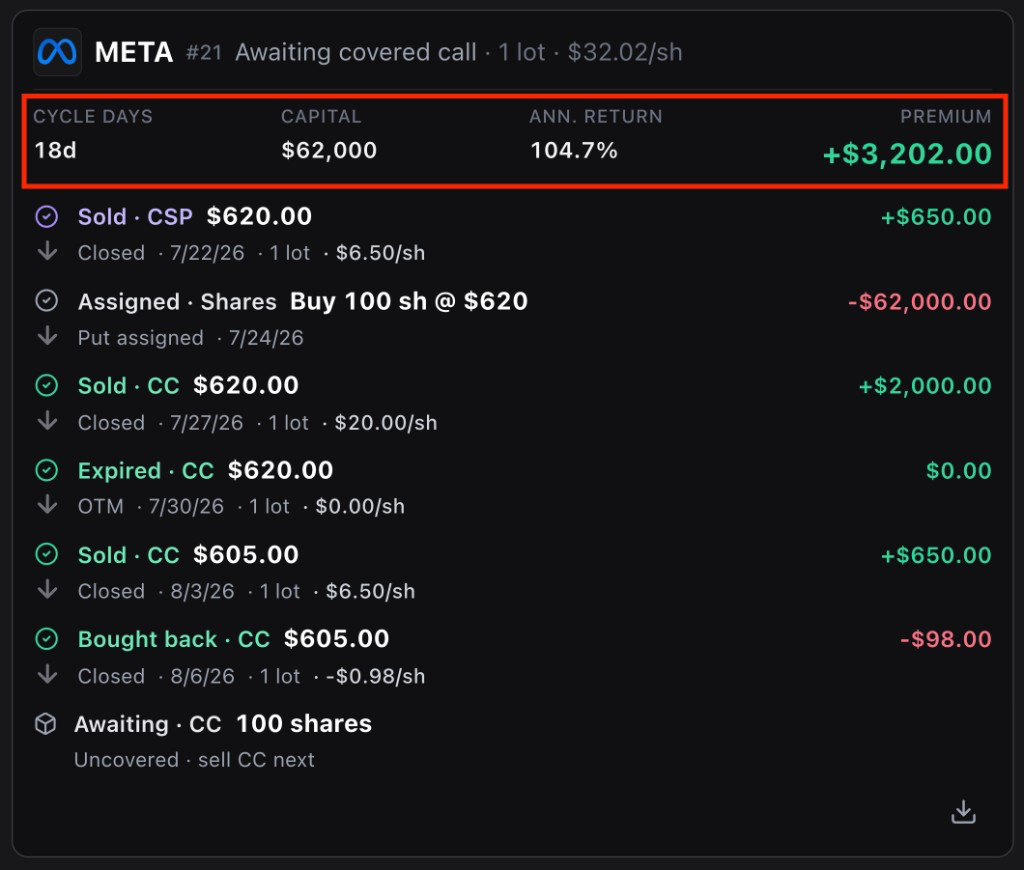
- Cycle days — how long this run has been alive.
- Capital — dollars backing the cycle.
- Annualized return — efficiency normalized to a yearly rate.
- Total income — premiums + realized capital G/L + dividends (when included) for that run.
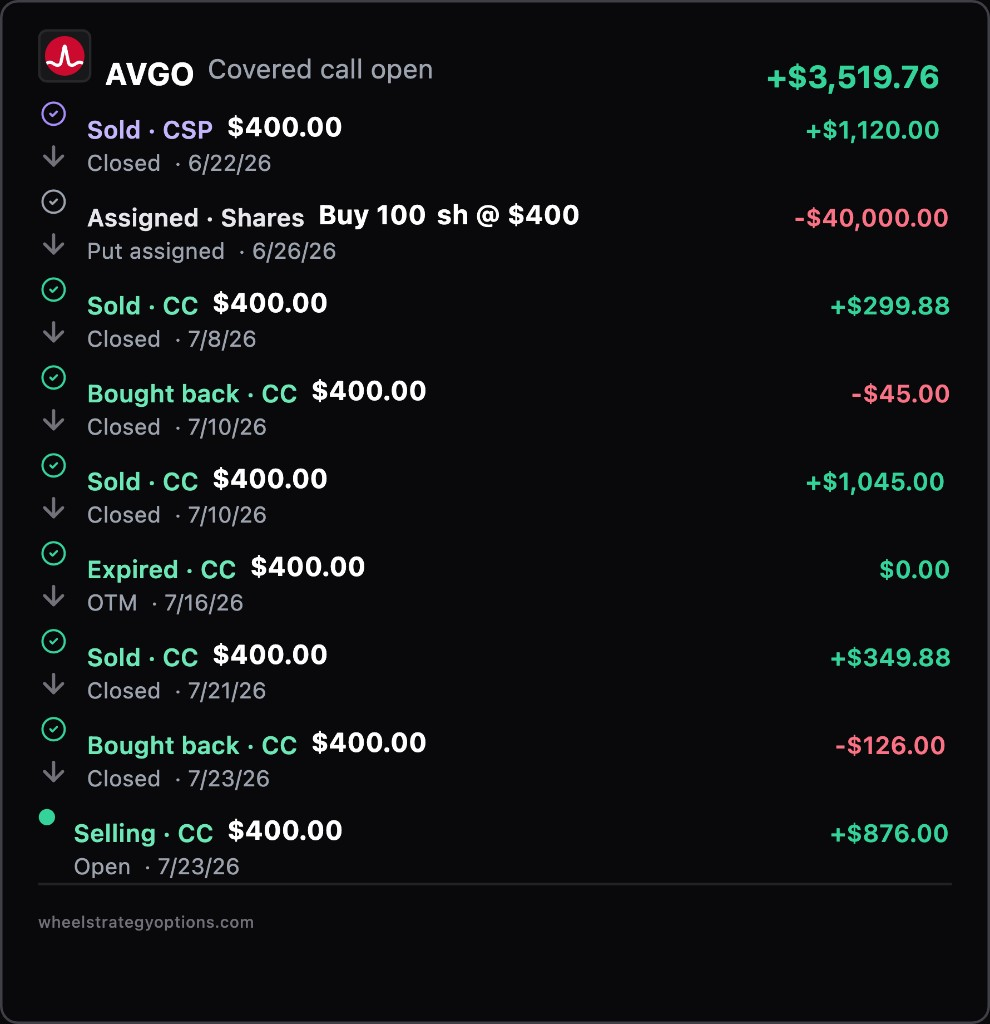
Scan metrics without opening a separate details view. Download a PNG from a card when you want a shareable snapshot for review or notes.
Use Include dividends (default on) at the top of Wheel Cycles if you want broker-synced dividends counted in total income. Turn it off to see premium and capital G/L only.
Search and sort tickers
Dense portfolios get a ticker search box plus sort controls:
- Default sort is A–Z.
- Switch to Most active when you want busy runs first.
Type a symbol to filter the list instantly — useful when you run many wheels at once.
How basis ties in
Wheel Cycles uses the same cost basis ideas as Stock Basis. When a run has no assigned puts (for example you started with shares), broker equity cost or your edited basis still feeds the cycle math. Stock Basis splits adjusted cost basis (break-even on shares you still hold) from total income (all cash outcomes on the ticker).
A weekly habit
- Open Active — anything expiring soon or incomplete?
- Check Paused for lots you meant to restart.
- Skim Closed after call-aways to confirm total income looks right.
- Jump to Opportunities if an open leg needs a roll or uncovered shares need a call.
Frequently Asked Questions
What does Paused mean on Wheel Cycles?
A paused cycle has no open option leg for 50 or more days. It isn't closed yet — you may still hold shares — but the run is idle until you sell another put or call.
What is Total income on a wheel cycle?
Total income adds option premiums, realized capital gains or losses on share assignment/call-away, and dividends attributed to that run when Include dividends is on (default).
Can I search for a ticker on Wheel Cycles?
Yes. Use the ticker search box and sort A–Z or Most active. The list filters as you type so large portfolios are easier to scan.
Can I download a wheel cycle card?
Yes. Each cycle card can export a PNG for sharing or offline review. The image reflects that run's timeline and metrics.
Why is Wheel Cycles marked Beta?
Grouping parallel lots, rolls, and broker edge cases is still improving. Metrics and tabs are live; if a run looks wrong, check History and Stock Basis or contact support with the ticker.