Filtering by Strategy, Symbol, and Portfolio
Focus every screen on exactly the trades you care about using strategy, symbol, and portfolio filters.
Filters apply everywhere
The filter bar at the top of the content area is global: whatever you set carries across Overview, Performance, Stock Basis, and the rest. That means you can answer questions like "how did my cash-secured puts on UNH do this year?" in a couple of clicks.
Strategy filter
Click Strategies to choose which trade types to include. Wheel trades (Covered Call, Cash Secured Put) are grouped separately from directional and spread strategies, and each option shows how many trades match.
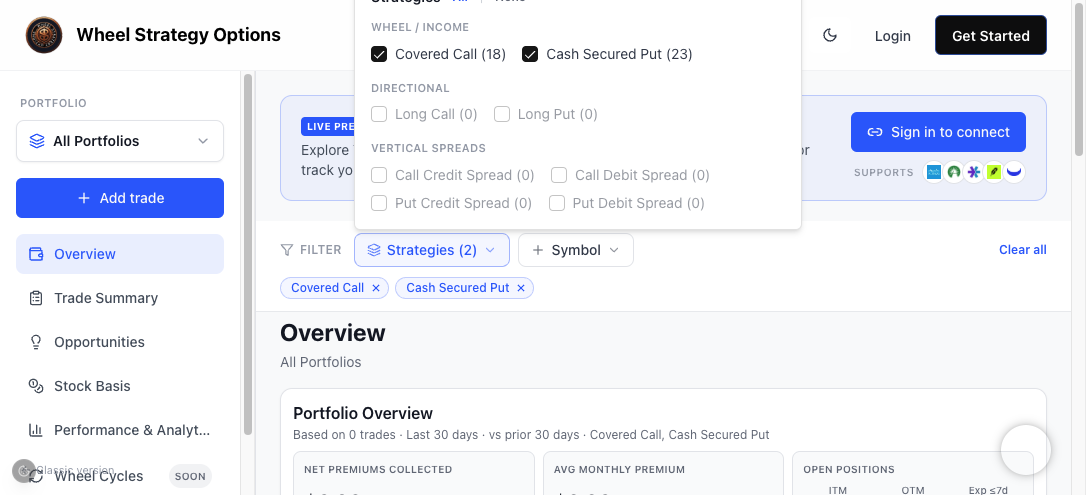
Use All / None to toggle everything at once, then check exactly the strategies you want. The active filters appear as removable pills below the bar, and Clear all resets them.
Symbol filter
Click Symbol to restrict everything to one or more tickers — perfect for reviewing a single name across your whole history.
Net of Fees
Check Net of Fees in the filter bar to subtract brokerage commissions from P/L and premium metrics (Overview, Performance, Income Calendar, position tables, and Stock Basis). By default totals are gross of fees — fees still appear in the Fees column on each trade. When Net of Fees is on, Overview shows how much was subtracted in the current filter window (e.g. "$3.88 fees subtracted"). Connected brokerages sync fees from your transaction history; manual trades use the fees you enter when adding or closing a leg.
Switching portfolios
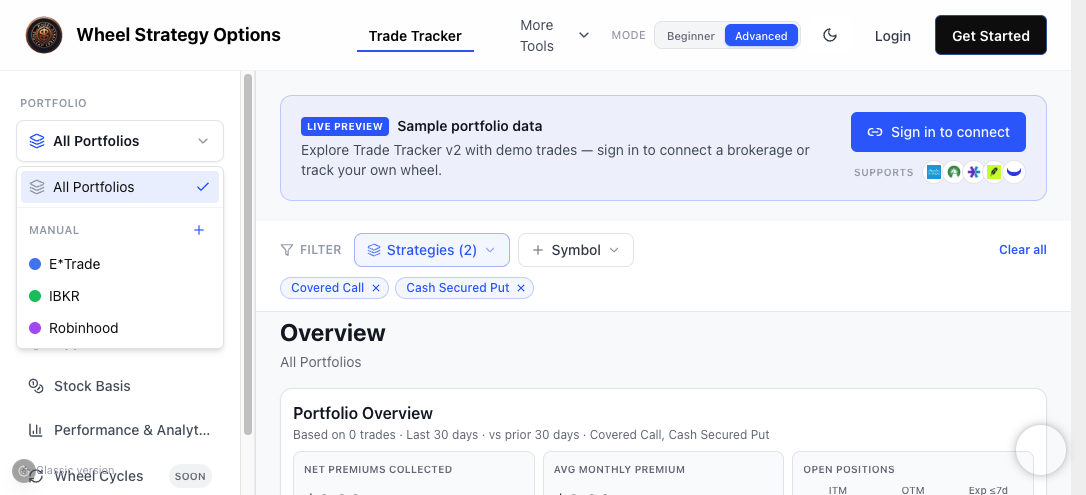
The portfolio selector in the sidebar is a filter too. Pick All Portfolios to see the combined picture, or a single account to isolate it.
A worked example
To review this year's covered calls on a specific account:
- Set the portfolio to that account.
- Open Strategies → None → check Covered Call.
- Set the date range to the current year on the Performance screen.
Every metric on every screen now reflects just those trades.
Frequently Asked Questions
Do filters carry between sections?
Yes. Strategy and symbol filters, and your selected portfolio, apply consistently across Overview, Opportunities, Stock Basis, Performance, and History, so you're always comparing the same set of trades.
How do I quickly reset all filters?
Click 'Clear all' next to the filter pills to remove strategy and symbol filters. Set the portfolio back to 'All Portfolios' to include every account.
What does Net of Fees do?
When checked, P/L and premium totals subtract commissions synced from your broker (or fees you entered on manual trades). Position tables still show per-trade fees in the Fees column; the toggle only changes how totals are calculated.